Joy-Con Drift: Why It Happens and How to Fix It
What is Joy-Con drift?
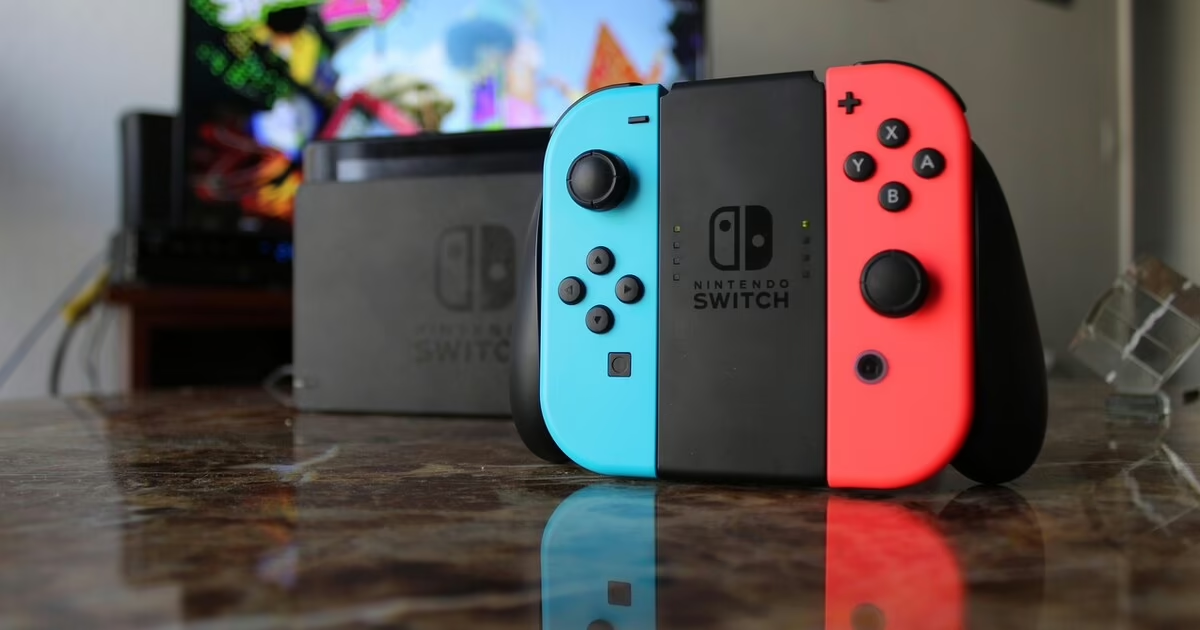
Joy-Con drift is when your Nintendo Switch registers stick movement that you are not making. Your character walks off a ledge on its own, the camera slowly pans to one side, or menus scroll when your thumbs are nowhere near the stick. It is one of the most common faults we see on the Switch — and one of the most frustrating, because it makes games genuinely unplayable.
What actually causes Joy-Con drift?
The analogue stick inside a Joy-Con uses a component called a potentiometer to read its position. A small wiper slides across a strip of resistive material to tell the console where the stick is pointing. Over time that material wears down, and dust or tiny debris can get into the contacts. Once that happens, the stick sends a constant signal even when it is sitting in the centre — and that is the drift you feel.
This is not a software bug you can permanently fix with an update. It is physical wear inside the stick. Recalibrating in the settings menu can mask very mild drift for a while, but once the potentiometer is worn, the only real fix is replacing the stick module.
Does the Switch 2 still have drift?
Unfortunately, yes — it can. When the Switch 2 launched in 2025, many people hoped Nintendo had switched to Hall-effect or TMR sensors, which use magnets instead of physical contact and do not wear out the same way. Teardowns confirmed Nintendo kept potentiometer-based sticks on the Joy-Con 2. The controllers are better built than the originals, but the core technology that causes drift is still there, and the first cases have started to appear.
The Switch 2 also introduced a new quirk: the Joy-Con 2 attaches with magnets rather than the old plastic rail, and the electrical connection runs through small pins in that magnetic interface. If those contacts get dirty or worn, the console can misread the connection in a way that mimics drift.
Quick things to try first
Before any repair, these are worth 30 seconds each:
- Recalibrate the stick. Go to System Settings > Controllers and Sensors > Calibrate Control Sticks. This will not fix worn hardware but it rules out a soft fault.
- Update controller firmware. System Settings > Controllers and Sensors > Update Controllers.
- Blow out the gap. Tilt the stick fully to one side and blow compressed air around the base. Sometimes it is just debris.
- Increase the dead zone. Many games let you set a stick dead zone — bumping it up makes light drift disappear, at the cost of a little aiming precision.
If the drift comes back quickly or the stick is clearly worn, the hardware needs replacing.
Your repair options in 2026
1. Nintendo free repair. Nintendo offers free Joy-Con drift repair in the UK by post, even outside warranty, for the original Switch and the Joy-Con 2. Turnaround is quoted at up to 10 working days. This is the cheapest option and we will honestly recommend it if you can wait and the damage is not from impact, liquid or third-party parts.
2. Local repair. If you do not want to be without your Switch for a fortnight, or the damage is not covered by Nintendo, we replace the stick module in our Bangor shop — usually while you wait, from £40 per stick, with a 12-month guarantee.
3. DIY. Replacement stick modules are cheap, but the repair involves tri-point screws, delicate ribbon cables and — on the Switch 2 — adhesive that iFixit rated the console just 3/10 for repairability over. If you are confident with electronics it is doable; if not, a botched attempt can cost more than the original fix.
Is it worth fixing?
Almost always yes. A new pair of Joy-Cons costs around £60–£75. A single stick replacement is £40, and often only one stick is drifting. If you are out of warranty and want it done today, repair is the sensible call.
Get Joy-Con drift fixed in Bangor
We fix Joy-Con and Joy-Con 2 drift at 124 High Street, Bangor — usually while you wait. We also repair Switch screens, charging ports and batteries. Walk in any time for a free diagnostic, or see our Nintendo Switch repair page for full details and pricing. Prefer to get a price first? Use our instant quote tool.
Need this fixed?
Get an instant price for your device in under a minute — same-day repairs in Bangor.
Get your repair price